Some of the links included in this post are affiliate links. Read my disclosure policy.
Let’s talk about 7 FREE money transfer apps that allow you to send and receive money instantly! Now I put the word ‘free’ in all caps because I am a fan of free and don’t like paying to send money (Sorry Western Union). Before we continue on I wanted to mention that I also have a video if you’d rather watch right here.
Many people have asked me which app is the best one to go with? Well, in my opinion, I say all of them. Download each one and create your account, first off it’s free and second why not have every option available to send and receive money right away and not have to sit there creating the account when someone is trying to send you money. This list isn’t in any order of best to worst. With that being said let’s jump into the list:
1. Cash App – This one is actually has a $5 bonus for downloading the app (as of this writing) with my referral code here – You get a tagname (user name)- Sends money instantly from one person to another- Offers instant transfer to your bank for a small fee- You can order a free debit card to use the money at physical locations (not just transferring back to your bank)- They have a boost feature with their debit card for awesome discounts at restaurants – Backed by Square inc.
2. Venmo – Offers a debit card to use at physical locations- Has a social aspect (if you want to use it) – Offers instant transfer to your bank for a small fee- Backed by PayPal
3. PayPal – One of the original money transfer apps- Well known to most- They offer discounts at select retail stores- Offers instant transfer to your bank for a small fee
4. Google Pay (Email)– Easy to set up- Widely available to most- No extra accounts if you have a gmail/google account- Backed by Google (duh)
5. Facebook Messenger Pay– Send directly from messenger- Quick set up- Many users are on Facebook
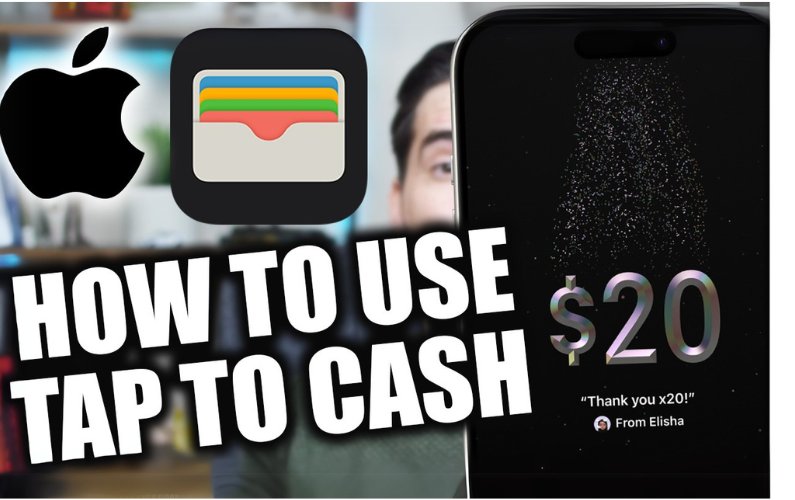
6. Apple Pay– Only available to send to other Apple users- Send directly through text message- Users can receive money before setting up the account- Can use money at shops with Apple Pay
7. Zelle (Check out my tutorial video right here)- Backed by the biggest banks- Sends money quickly- Goes directly into your bank account- Can send based on email or phone number
These are just a few of the details about these 7 free money transfer apps. Check out each app individually to see all the details.
Some of the links are affiliate links. This means if you click on some of the links I will make a small commission at no additional cost to you. This helps keep me making videos and providing value. Thank you for your support!
The Cash App to put in its simplest form is an application that allows you to transfer money to and from friends and family withing moments. The Cash App is very similar to Venmo in how it functions. You might be asking yourself then why have the Cash App if it does what Venmo does? Good question and the simple answer is to have all options of receiving and sending money in case someone only has one or the other. In other words, you would be the most prepared.
Before we continue there are two things to mention. First, there is a corresponding video I made to this post that you can watch directly below. Second, if you are interested in the referral code before the bottom of this post here it is: $5 Cash App Referral Link
Now there are a few things you need to do before getting the $5. You need to use a referral link (mine or someone else’s), add a bank account, and send at least $5 or more to a friend or family. Fun Tip: If you send it to a family member you can have them sent it right back 😉 After that, you can refer people and get $5 per person (yes, that means I get $5 for you joining. It will most likely go towards feeding my dog, Daisy). Keep in mind that it can take up to 10 minutes to get the bonus.
How to use the Cash App is pretty simple. When you download the app you can either sign up with an email or phone number. The phone number just seemed easier so I took that route. Next, it will have you confirm the number and then for the referral code and you’ll see my face pop up. Now it’s going to ask for your bank card, but you can skip it and add the bank account info later. Next, it will proceed to ask for the first and last name followed by your zip code. Next up is your CashTag (username) that you create. Lastly, you’ll have the opportunity to invite friends and family, you can do this later as well.
Now you have an account. Easy right? I thought so. To add money to your account you can go to the left side of the app to add a bank account. You’ll see where it says add bank. Here you’ll see some popular banks, but you can hit ‘Other’ to add the routing and account number from the bank. Once you have the first $5 on to your account then on the main page (the green one with the numbers) put in any amount and click ‘pay’ to go to the contacts page to choose who to send the money to, it will ask permission to access your contacts. I gave access to make it a whole lot easier. You can also add a note to the payment if needed.
And just like that, you are a pro at using the Cash App!!! Of course, there are a few other features on the app such as the Cash Card which allows you to order a free custom debit card to spend the money on the account in person or online. You can also withdraw money from the app to your bank (once it’s added). Now as far as use. I find it very easy to use and fluid. Now I also use Venmo and both are very similar, although I would say that Venmo seems to transfer the money a bit faster, but nothing too dramatic. I ordered the free debit card which you can customize and it’s pretty cool. I was also able to add the card info onto my Apple Wallet which is even cooler. So far so good with the Cash App and I think it’s a no brainer to have it downloaded as I mentioned just in case that’s the only option for the friend or family member when you need to send or receive money. Plus who doesn’t like $5 for very little work?
Overall I don’t see too many negatives with having the app. I haven’t run into issues while using it over the last few months. The biggest negative would be that maybe someone I need to send money to doesn’t have the app (but then we both win and make $5 each). Haven’t had to use their customer support (will update if that changes). When exploring the support page I did see options for disputing charges or other issues.
I hope this post helped in some way making the decision of whether to download the Cash App or not. As mentioned earlier here is the video that goes along with this post. I had a screen recording of the entire set up process from a phone if that helps. Here is the link once more for downloading the Cash App and the referral code
Some of the links included in this post are affiliate links. Read my disclosure policy.
Hello Fellow Wealth Builder, Today I review Capital One 360’s banking service. I go over the biggest pros and cons when it comes to an online bank. I personally use Capital One 360 for my banking needs. In this review, I give my honest feedback on what I think works and fails with Capital One banking. Watch the video below for the review.
If you think you may want to open up a savings account to hold an emergency fund (yes, you can open up just a savings if you want). I have a referral link right here that will give you a $25 bonus for signing up. This video review of the Capital One 360 banking service was not sponsored. If you have any questions about the service, please leave them in the comment section of the video.
I love the idea of saving money. One way to do so is by paying off a mortgage early (if you have one of course). I know, I know that seems like a crazy concept. Hear me out for a few moments and maybe it can help save you thousands of dollars. The idea is simple, its execution is just as simple, but the willingness.. well that’s the tricky part. I believe when you plug in your own numbers it might change your mind. So what am I talking about? I’m talking about paying an extra $100 towards the principal of your mortgage every month.
What possible impact can $100 actually have in the long term of a loan? The simple answer is a lot. When I made the video below I had an extra payment calculator opened up and showed the impact $100 has on a loan. Check out the results in the video (it’s a lot of money and time off the loan if you didn’t guess that already).
So why $100? I don’t explain it too much in the video, but the answer to why I picked $100 is because it really does impact the loan time and amount you save in interest significantly. Second, I believe that someone can either cut $100 out of their budget or work a side hustler/overtime/sell stuff every month to at least make an extra $100. I hope you plug your numbers into the extra payment calculator that I will link here. I am not sponsored by this company. I just like their mission and love their tools, even more, to help others in their financial journey.
Some of the links included in this post are affiliate links. Read my disclosure policy.
Hello Fellow Wealth Builders,
Today I wanted to share my video about how to use ibotta and how you can earn some cashback for your everyday purchases. I’ve been testing this app for a little while now and find it easy to use and overall a good app to earn money back. In the video below you can see how to go through the process of picking offers, adding them to your list and how to redeem the receipt. Fairly easy process and you’ll see in the video. I hope you enjoy the video and get value out of it. If you decide to download the app make sure to use the referral code: enufcrt or click here to earn $10 after redeeming your first offer. Great side note, you only need a total of $20 to cash out. I personally use the app and am happy with it. I have gotten paid out from my earning through the app. This one is a winner for those wanted to make a little bit of side hustle money to put towards debt or build wealth.
Your friendly neighborhood financial friend, Denis